BestSync - Powerful File Synchronization and Continuous File Backup Software
BestSync is a user-friendly, powerful, and reliable file backup and synchronization utility. BestSync can backup and synchronize local files with FTP/FTPS/FTPES/SFTP folders, WebDAV collections, ZIP archives, and Android folders via BestDAV. BestSync can also synchronize files with cloud storage such as Amazon S3 bucket, Google Storage bucket, Windows Azure container, Rackspace Cloud Files, Google Drive, Microsoft OneDrive, and Dropbox.
BestSync offers encryption options to help you securely store sensitive data in the cloud. BestSync can encrypt any file using AES256 as a standard .zip file. This feature is particularly useful for synchronizing and encrypting files to cloud storage, and then accessing them from a smartphone.
BestSync automatically analyzes folders, detects changed/deleted/moved/renamed files, then synchronizes and backs up only the changed files (or Outlook emails).
Before synchronization, BestSync backs up all the files on your computer that will be replaced or deleted during the synchronization. This is BestSync's unique and most important feature when synchronizing from multiple locations. This way, original files from all stages can be easily restored. So, by using BestSync instead of any other synchronization software, you don't have to worry about losing files at any stage. BestSync offers incredible features that are necessary for business use.
File Synchronization and Backup

Keep files the same between branch companies or subsidiary companies by NAS, Shared folder, or USB drive. Ensure that you always work on the same updated files. Supports Real-time synchronization to synchronize files immediately after the files are changed, and can run as Windows Service that does not require user logon, this feature is suitable for running on a server.
How to synchronize with shared network folder or NAS as Windows Service?
FTP Synchronization,SFTP Synchronization
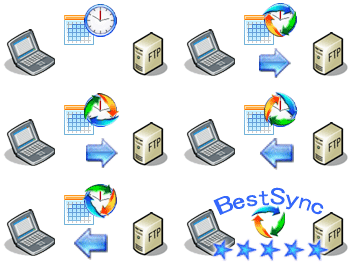
Synchronize files with FTP servers, automatically download/upload only changed files to/from FTP servers, supportFTPS (FTP over TLS/SSL), SFTP (SSH File Transfer Protocol), support compression and encryption while synchronizing files. BestSync has a multiple-thread segmented download feature to increase file download speed by multiple times and can resume a file transfer from the last breakpoint to ensure that large files are successfully transferred within a specified time. BestSync also supports FTP proxy server, allowing business users to synchronize files behind the firewall. More...!!!Incredible features...
How to synchronize with FTP server?
How to Synchronize with SFTP Server?
WebDAV Synchronization

Synchronize files with WebDAV Collection, automatically download/upload only changed files to/from WebDAV collection, support file compression and encryption during file synchronization. BestSync may be the fastest WebDAV synchronizer in the world. BestSync can download and upload multiple files simultaneously, and can download a large file in multiple segments through multiple sessions. And BestSync can resume the file transfer from the last breakpoint to ensure that large files are successfully transferred within a specified time. BestSync also supports HTTP proxy server, allowing business users to synchronize files with Internet storage behind the firewall.
BestSync can synchronize files with Android device via the BestDAV WebDAV server. This makes copying photo files from Android devices very easy. You can also add a date string to the file name or have BestSync automatically move photo files to a date-named subfolder.
How to synchronize with WebDAV collection?
Amazon S3 Synchronization, Google Storage Synchronization, Windows Azure Synchronization, Rackspace Cloud Files Synchronization, Microsoft OneDrive Synchronization, Google Drive Synchronization , DropBox Synchronization
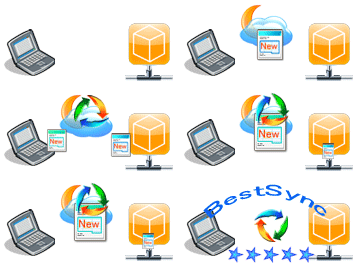
Synchronize files with Amazon S3, Google Storage, Windows Azure, Rackspace Cloud Files, OneDrive, Google Drive, and Dropbox , and automatically download/upload only changed files to/from cloud storage. With BestSync, you can protect your private files by first encrypting the files with AES 256-bit before uploading them to cloud storage. BestSync can download and upload multiple files simultaneously using multiple threads. BestSync also supports HTTP proxy, allowing business users to synchronize files with cloud storage behind the firewall. !!! Incredible features...
How to synchronize with Amazon S3 Bucket?
How to synchronize with Google Storage Bucket?
Zip Archive File Synchronization

Synchronize a folder with a ZIP archive file, automatically compress a folder into a ZIP file with complex filter conditions. Only changed files are included in the ZIP file, and deleted files are removed from the ZIP file. Support AES (Advanced Encryption Standard) 128Bit/256Bit cryptographic algorithm to protect the ZIP archive file with a password. !!!Incredible features...
Automatic Incremental File Backup
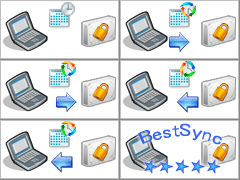
Automatically back up your critical data to external storage, NAS, FTP, network volume on a flexible schedule. Supports "Volume Shadow Copy" service to copy open/locked files. Supports Incremental and full backups. A flexible schedule can be set, just set the task once, BestSync can backup the files reliably and continuously. !!!Incredible features...
USB Synchronization

Synchronize your File/Outlook mail between home and office using a USB drive with the encryption feature. All you need to do is to insert the USB drive into the home PC, and all the updated files will be compressed and encrypted on the USB drive. Later, when you insert the USB drive at the office PC, all the updated files will be decrypted and decompressed on the PC! !!!Incredible features...
Simplify the Web Publishing

Publish only changed files to your website by using the FTP protocol with FrontPage support. Only updated files are transferred to your website, deleted files are also removed. BestSync resolves the conflict automatically and intelligently, there are no annoying dialog boxes to interrupt your work. BestSync saves you quality time.!!!Incredible features...
Incredible features. Extremely easy to use

