FTP Synchronization, WebDAV Synchronization, Amazon S3 Synchronization, File Synchronization, Continuous File Backup Tool

FTP Synchronization, WebDAV Synchronization, Amazon S3 Synchronization, File Synchronization, Continuous File Backup Tool

Incredible features.
Extremely easy to use

Incredible features.
Extremely easy to use

BestSync

BestSync - The easy-to-use yet powerful and reliable file synchronization software

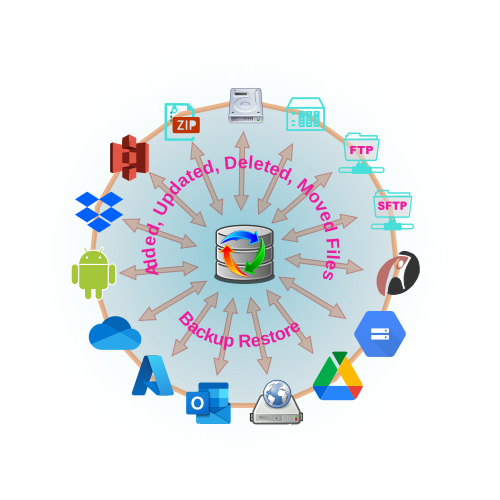
BestSync is an easy-to-use yet powerful and reliable file synchronization, FTP synchronization, WebDAV synchronization, AmazonS3 Synchronization, Outlook synchronization, ZIP archive synchronization utility. It automatically analyzes, synchronizes, and backs up your files and Outlook emails between desktops, laptops, servers, and external drives, as well as remotely through FTP, SFTP, WebDAV, Amazon S3 cloud storage.

It is FREE to synchronize files between local folders, backup local folders to outside storages, and restore backup files to original folders, and there is no task number limit, and file number limit!

BestSync provides the following solutions perfectly:

FTP Synchronization

Synchronize file with FTP server

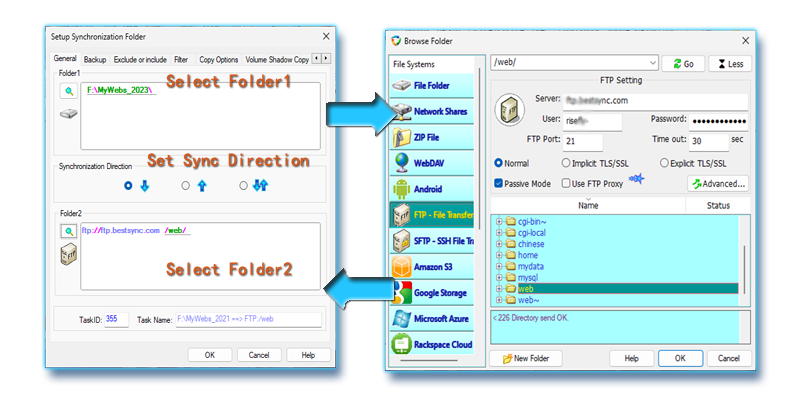
Synchronize files with FTP servers, download/upload changed files only from/to FTP servers automatically, support FTPS (FTP over TLS/SSL), SFTP (SSH File Transfer Protocol), support resuming from last broken point, and multiple files, multiple segments download. more...

WebDAV Synchronization

Synchronize with WebDAV server

Synchronize files with WebDAV server, download/upload only changed files from/to WebDAV collection automatically,  supports the http proxy server, enterprise users can synchronize files with internet storages behind the firewall. more...

Amazon S3 Synchronization

Synchronize with Amazon S3 Bucket

Synchronize files with Amazon S3 server, download/upload only changed files from/to Amazon S3 collection automatically,  supports the HTTP proxy, enterprise users can synchronize files with cloud storages behind the firewall. more...

File Synchronization

Synchronize File among PCs

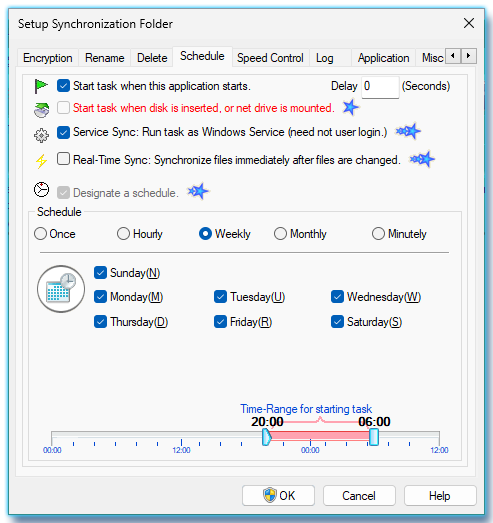
Keep files the same between branch companies or subsidiary companies by NAS, Shared folder, or USB drive. Ensure that you always works on the same updated files. Supports Real-time synchronization to synchronize files immediately after the files are changed, and can run as Windows Service that need not user logon, this is a feature be suitable for running on server.

Other synchronization features

Synchronize a folder with a ZIP archiveZIP File Synchronization: Synchronize a folder with a ZIP Archive file, compress a folder to a ZIP file automatically with complex filtering conditions. Backup file automaticallyAutomatic Incremental File Backup: Automatically backup your critical data to external storage, network drive, online storage.
Synchronize folders by USB driveUSB Synchronization, Outlook Mail Synchronization: Synchronize File /Windows Mail/Outlook (mail, contact, schedule etc)  between home and office by USB disk with the encryption feature. Publish changed file to website Simplify Web Publishing: Publish only changed files to your web site by using the FTP protocol.

Incredible features. Extremely easy to use

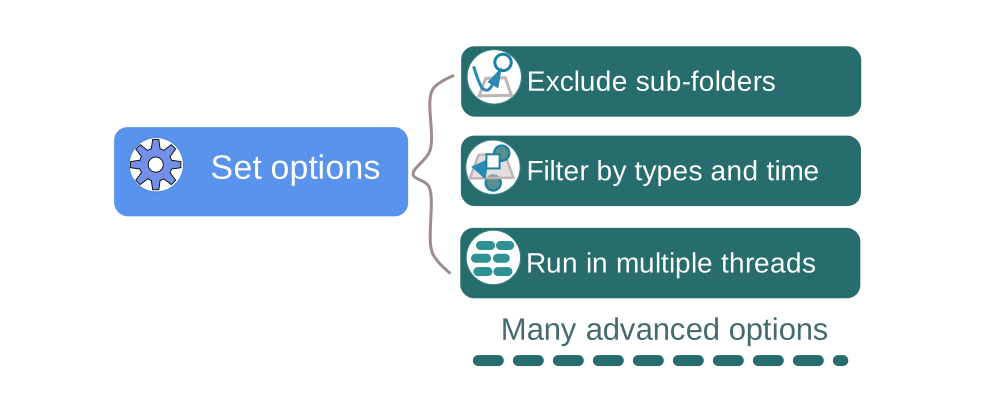
Easy to use user interface One-way synchronization, two-way synchronization, mirroring two folders Backup and restore files Synchronize folders with any file system and media Synchronize with FTP/FTPS/SFTP server Synchronize with WebDAV Synchronize with Amazon S3 Synchronize a folder with a ZIP archive file Synchronize with MS Outlook, Windows Mail Filter files by wildcard patterns Exclude or include folders and files Sync files as Windows Service Copy open/locked files Real-time synchronization Sync multiple files by multiple threads Resume a file transfer from the last break-point Bandwidth control for FTP Synchronization Detect the timezone of server Resolve conflict intelligently and automatically Compress and encrypt files Flexible schedule to automate synchronization tasks. Protect File, No Crash Logview - Review the synchronization history, and restore file. File Versioning Preview Task before Synchronization Trigger Sync task by volume mount Email Synchronization Result Support Unicode

Detail Features of BestSync>>

Download BestSync 2012

RiseFly Software also provides the following software

Filter files when copy, delete fileStart DOS Prompt from ExplorerStart ScreenSaver at once