BestSync concept

File Sync/File Backup/USB Sync
Outlook Sync/Windows Mail Sync
by ONE Utility!
 

BestSync IconBestSync Folder Synchronizer
HomeChineseJapanese

Main Features

Solutions

Download

Buy Pro License

Tutorial&Screen Shots

Q&ASupport Forrum

Version History

Promotion

LocalizationContact us

User Testimony

I have being looking for programs which works with FileZilla server correctly for a long time. Only BestSync from more than 30 programs works in a proper way with the FTP-server (preserve the timestamp when upload files from a local folder to FTP folder)

.....Valeriy Savchenko


The backup software I have been waiting for for a long time. Incredible features. Extremely easy to use.

......drabelais
(download.com review)


I love Best Sync and that I've been using it for years and I recommend it to all of my IT professional friends

......Jake Wert
(Infinite Office Solutions)


First of all it's simple. Tried a few of the more popular app's but all I want is folder sync and backup and that's what you get. It has a wizard with several steps but I complete the 1st one and hit Finish, click Start, and away it goes. Like lightning. Simple, fast and what a bargain!

......bradinbello


I was amazed at the speed will all the sub-folders I have. This was truly the software I was looking for. It also has a great built-in help feature. You get to choose, from many options, to run it manually, scheduled or instant. I recommend this software for anyone who needs to synchronize data.

......Agador Spartacus

File Filter 
Shell Extension

A Windows Shell Extension. Allow filtering when you copy, move, delete, or compress files and directories.


BestSync Portable Solutions

BestSync ® 2010 Portable is a professional file/mail synchronization utility, for sync/backup file/mail between your local folders and Network Drives, Removable Media (such as an USB disk).
BestSync 2010 portable provides following solutions:

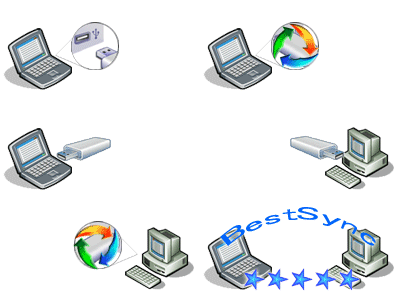
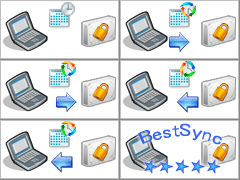
Synchronize file between home and office1. Synchronize file and Outlook (mail, contact, schedule etc), Windows Mail/Outlook Express Mail between office and home by  USB drive with compression and encryption feature. Even the USB drive is lost, your data is difficult to be read. BestSync Portable optimized for portable usage. No need to install, only decompress the executable files to the root folder of the removable drive. When the removable drive is inserted, the BestSync Portable is started to synchronize the file/mail to the removable drive. One drive to synchronize with multiple PCs.

Automatic Backup-BestSync2. Automatically backup you critical data to external storage, NAS,  network volume by  a flexible schedule. Support "Volume Shadow Copy" service to copy open/locked file, and  manager the history versions. 

Syncronize File among PCs3.Keep files and folders be same between your laptop and desktop computers. This enables you to work with files on either computer and always be sure you are working with the latest version.

File Sync/File Backup/USB Sync
Outlook Sync/Windows Mail Sync
by ONE Utility!
 

Synchronize file between home and office

Download BestSync Portable(32Bit)

Download BestSync Portable(64Bit)
(No need to install, self extract file, but no FTP)

Windows 2000/Server 2003/XP/
VISTA/Windows Server 2008/Windows 7


BestSync normal version

Support FTP Synchronization and can run as Windows Service.

Main Features

Incredible features. Extremely easy to use

Easy to use--Very intuitive user interface
Setup the sync-task in one task wizard, and all the advanced features are only options in the wizard. 

Synchronize--Work with 2 or more computers
Single-Directional or bi-directional synchronization to ensure your workstation, laptop, and networked computers have the same files. BestSync can detect and synchronize file changes automatically, such as creating, updating, deleting and copying of files in subfolders.

Backup & Restore--Protect you data
Backup your important files anytime with a single click, and use the flexible scheduler to automate your backups.
When disaster strikes, restore the backup data easily.

Incremental backups and full backups are supported.

Encryption & compression--Keep your data private
For example, when you synchronize files to an USB drive in office, the files are encrypted and compressed. And when the files are synchronized to a home PC again, files are decrypted and decompressed. So it is safe even though the USB drive is lost. The default encryption algorithm is “Microsoft Strong Crypto graphic Provider” 128BITS RSA|RC2.

Sync with OutlookSynchronize with MS Outlook
Synchronize email, contact, schedule etc with MS Outlook by USB, FTP etc.

Preview--Confirm the sync action before running
In the preview window, you can modify synchronization action of the files, and confirm the result of the synchronization, or start the comparing tool to view difference between the files of two sides.

Copy open / locked files
Support ”Volume Shadow Copy Service” of Windows XP/2003/VISTA/2008/Windows 7. Even opened files or locked files such as SQL data base file, Outlook PST files can be backed up correctly, and no need to close the program.

Real-time Synchronization
Synchronize files immediately after they are changed. BestSync monitors the change of the folders. When a file is changed, deleted, or renamed, the file is copied to, deleted from, or renamed in the target folder immediately.

No file crash! No file lost!
No files will be crashed during synchronization. BestSync uses a temporary file as the target, only the temporary file has been copied successfully, it will become the target file.  The files overwritten or deleted during synchronization can be backed up and restored later.    

Versioning--Keep previous versions
The date and time of synchronization can be used to create a sub-folder to store the backup files, and a backup comment can be attached to the sub-folder. Old versions can be cleared automatically by option. 
 

Resume a file transfer from the last break point.
The feature ensures large files to be copied successfully. This feature applies to FTP server, network drive, and shared folder.

Flexible Schedule--Automate your task.
A flexible
can be specified to start tasks automatically. You can set any schedule you want! Just set-it-and-forget-it. Automatic synchronization, automatic backup, automatic upload file to FTP server is capable.  

Trigger the task by the insertion event of a removable media. 
When you insert the USB disk in to the PC, all the updated files are compressed and encrypted to the USB disk. When the synchronization completes, BestSync flushes all the data to the USB disk, it is safe to take the USB out of the PC.
BestSync can modify the task setting automatically if the drive is mounted to a different drive number from the task setting. (BestSync Portable Version optimized for portable usage, no need to install, just decompress the files to the root folder of the removable drive.)

Works on any file system and media.
Changes and conflicts are detected automatically by comparing current file status to the previous file status. The file can be in a removable media, an external disk, a server directory, a network sharing directory, or a network disk.

Fast filtering--Backup selected file types
Wildcard patterns can be used as filtering conditions. The wildcard patterns can be part of the file name, extension and wild card characters (*,?,#). A file type selector makes selecting file types very easy.

Include and exclude--Only backup the critical data
Sub-folders and files can be specified to be included or excluded from the synchronization.

Log view--Review the sync history
In the Log view you can view difference between current version and the backup versions, and restore the backup file to the source folder.  Export log data to a CSV file or HTML file.

Full Unicode support
BestSync can synchronize file name include characters of Chinese, Japanese, Korean and more.  

Auto power off option to shutdown computer automatically when all the tasks complete.
Command line arguments to lock computer, minimize as task tray icon, start tasks, or shutdown.

Easy to encrypt or decrypt file
Insert a context menu "Encrypt <==> Decrypt" in the Windows Explorer, It is simple to encrypt and compress files or decrypt and decompress files by this menu.

Easy to take out digital camera picture.
Pictures in the digital camera can be automatically moved to a designated folder, and rules can be specified to rename the picture names.

RiseFly Software Home

Free File Synchronization, FTP synchronization, File Sync, FTP Sync, USB Sync, File Backup, Data Replication, Folder Mirroring, PC Sync Software, File Sync Utility, Data Synchronization Software, Opened/Locked file backup

 
BestSync 2008 download
Editor's Choice.  BestSync
Safe to install BaestSync
Trusted BestSync download
Shareware and Freeware downloads and tested, rated and reviewed software submitted by software author.
Windows 7 Download
BestSync 2009 video tutorial at downloadtube.com
 BestSync 2008
 5 stars on GearDownload.com
Download BestSync Folder Synchronizer