|
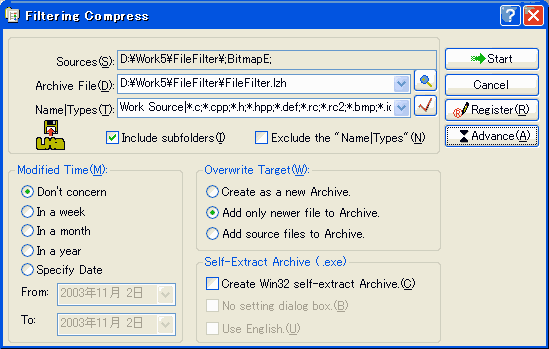
Filtering Compress:
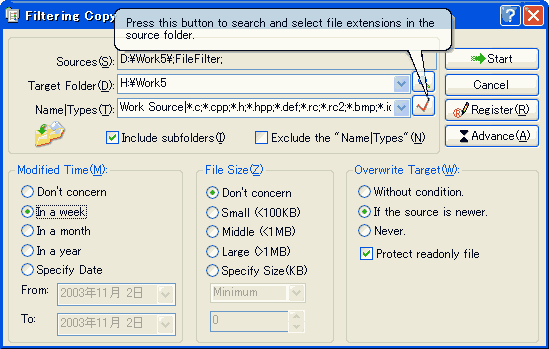
Filtering Move: (Ignored.)
Filtering Delete: (Ignored.)
Rules for designating file types:
1. Filename and Extension patterns are case insensitive.
2. The standard use of ?, * and # wildcard is supported.
For example, if files with "AA" anywhere in the filename are of interest, then a Filename Pattern of *AA* could be used.
If only files ending with "AA" are of interest, then *AA would be more effective.
If the position of the "AA" in the filename is important, then use the ? wildcard. The ?AA* Filename Pattern will match files of any length with "AA" starting in the second position, while ?AA????? will only match 8-character filenames with 'AA' starting in the second position.
The # wildcard is similar to the ? wildcard, except only numbers will match it.
Typical file filtering types:
a?? : Three character string, the first character is 'a';
a?c : Three character string, the first character is 'a', and the end is 'c';
### : Three numbers;
a* : A string that begins with character 'a';
ab*cd : A string that begins with "ab" and end with "cd";
###*## : A string that begins with 3 numbers and end with 2 numbers;
*###* : A string that contains 3 continued numbers;
3. User can designate multiple file types by separating the types by semicolon (";").
For example:
"*.c??;*.h??;*.r??;*.def;*.bmp;*.ico;*.txt;"
"Debug;Release"
4. If both a Filename and an Extension pattern are specified, then both must match for the rule to be applied to that file.
If only a 'Filename' or 'Extension' pattern is specified, then the absent portion is empty.

|
 FileFilter Shell Extension 2.4